
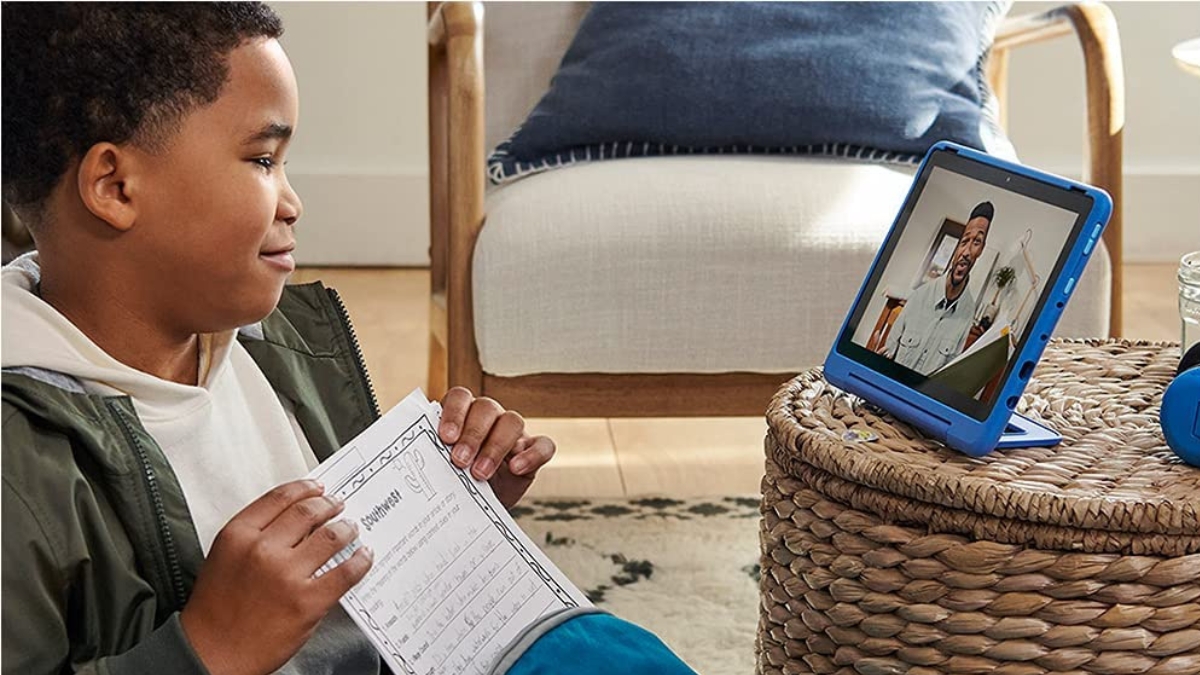
As streaming, casting, and bouncing between subscriptions is becoming the norm of modern family life, screen time is increasing, and parents are growing concerned. Lurie Children’s Hospital’s latest survey, Screen Time Statistics Reveal How Parents Use Screens as Babysitters, Educators, and Entertainment Tools, shows just how central screens have become in everyday life.
In a June 2025 survey of 859 U.S. parents with children under 13, Lurie Children’s found that 49% of parents rely on screens every day to help manage parenting tasks, often because childcare is unaffordable or unavailable. One in four parents said they’ve used screens because they couldn’t afford childcare, and 34% because they couldn’t find it.
Those numbers help explain other striking findings: 81% of kids under 13 now have their own device (and more than half began using screens by age three), while parents report kids are averaging 21 hours of screen use per week, more than double the amount parents say is ideal. The study found that many parents (60%) feel guilty about screen use, and 54% worry their child is addicted to screens.
“It is never too early to start modeling healthy behaviors around digital media for children,” said Dr. Cohen in the study.
Why Streamers Should Pay Attention
For many, choosing to cut the cord saves money and simplifies their entertainment, but managing screen time can be challenging at times. Choosing and configuring the streaming services and devices in your home really matters for those with busy schedules and changing household routines.
Since streaming platforms are designed to keep viewers’ attention with autoplay queues, recommendations, and endless content, it is even easier for children to keep watching. Combined with busy parents juggling work, school, and household logistics, Lurie Children’s data shows the convenience of streaming as a “digital babysitter” is real, with 3 out of 5 parents feeling guilty for using screens that way.
How to Manage Screen Time: Solutions for Cord Cutting Households
You don’t have to abandon streaming completely to protect your kids; adjusting your habits with small, practical changes goes a long way. Here are some easy tips to get started:
- Use built-in parental controls and kids profiles. Most services (HBO Max, Prime Video, Peacock, Disney+, and many devices) let you create kids profiles, lock mature content behind PINs, and restrict playback hours. Set these up on each service and on your smart TV or streaming stick.
- Turn off autoplay and manage recommendations. Autoplay is designed to keep eyes on the screen. Disable it in your streaming apps so shows stop when the episode ends.
- Schedule screen-free times and places. Make meals, bedtime, and family activities screen-free. Lurie Children’s recommends designated screen-free areas or times to promote connections.
- Use device timers and router scheduling. Many streaming devices and routers allow you to set daily time limits or block internet access during certain hours. This is very useful for enforcing homework and bedtime routines.
- Curate a watchlist of high-quality content. Spend a few minutes each week adding educational and age-appropriate shows to your child’s profiles so when you need a quick, safe option, good choices are ready.
- Co-viewing and conversation. Watch together when possible. Co-viewing provides an opportunity to discuss themes, model media literacy, and transform passive watching into active learning.
- Monitor and model behavior. Lurie Children’s reports many parents already monitor screen use and you’ll get more buy-in if adults in the house model the habits you want kids to adopt.
“As they grow and develop, children’s engagement with digital devices and online content will also change. Parents can support children by setting and enforcing age-appropriate boundaries, using tools like the AAP’s Family Media Plan as a guide,” Dr. Cohen says.
Utilizing tools like Grogo, an “edutainment” app designed to help parents manage their children’s screen time in a way that is educational and engaging, can help them develop better screen time habits without feeling like they are being punished. Aimed at kids in grades 2-12, the subscription-based app interrupts passive viewing every 15-60 minutes with quick learning challenges across subjects like math, science, and pop culture. Parents can customize the experience, and kids must complete tasks before regaining access to their favorite apps.
Manage Screen Time With The Right Device
Lurie Children’s 2025 study found that nearly 60% of kids began using screens by age 3, even though parents, on average, believe 4.5 years old is a healthy age to start screen time. Having the right device allows children to enjoy the perks of streaming while parents manage their screen time.
Since most kids now own their devices, parents need practical, budget-friendly tools that also work within a cord-cutting lifestyle. Three smart buys for concerned parents who want to manage their child’s screen time include:
Amazon Fire HD 10 Kids Pro — A Tablet Designed for Kids
The Amazon Fire HD 10 Kids Pro is a kid-ready tablet that actually looks grown-up. It pairs a slim, modern design with family-first safety features so children ages 6-12 get a capable device for streaming, schoolwork, and play, while parents keep easy, powerful controls.
- Deal Price: $189.99 | Buy on Amazon
- Why parents choose it: the Fire HD 10 Kids Pro balances performance and polish with real parental controls and a content library built for kids, making it a great pick for families who want safe, high-quality screen time without handing over an adult tablet.
- Includes a 2-year worry-free guarantee: Amazon replaces the tablet if it breaks, no questions asked.
- Durable kid-friendly case: Comes in family-friendly colors (Happy Day, Mint, Nebula) that protect the tablet and still look sharp.
- Amazon Kids+ included for one year of unlimited, age-appropriate books, videos, games, and learning apps.
Nex Playground — Keep Kids Active During “Screen Time”
Screen time doesn’t have to be sedentary; an indoor active-play system like the Nex Playground uses a camera + AI to track full-body motion and turn a TV into a movement game console. The smart device includes games like Fruit Ninja, Whac-a-Mole, and more content via Play Pass. By rotating playground sessions with passive shows (e.g., 30 minutes active play and 20 minutes of educational video), parents can mix movement and screen learning.
- Price: $249 | Buy on Amazon
- Why parents like it: Nex Playground converts passive screen time into active play: kids move, jump, and interact physically with games, which helps balance sedentary streaming with exercise. It’s designed for family play (up to 4 players) and quick setup to the TV.
- How it helps manage screen time: Use Playground for “active” screen sessions in place of passive watching. Perfect for after school, during breaks, or as a reward for completing chores/homework.
Amazon Kindle Paperwhite — Great for Distraction-Free Reading
Preventing social media addiction can decrease screen time among children, with Lurie Children’s study finding that 36% of parents won’t allow their children to have social media accounts. Of those who will, 13 was the average age, which they plan to allow their kids to access.
A device like the Kindle Paperwhite Signature Edition (32 GB) is a great buy for parents looking to manage their child’s screen time. The 7″ Paperwhite e-ink reader is a distraction-free device, as there are no social apps or notifications. Simply, create a Kids profile and pair the Paperwhite with an Amazon Kids+ subscription for curated children’s books and reading challenges.
- Price: $179.99 (Like New) | Buy on Amazon
- Why parents like it: E-ink display isn’t backlit like tablets, so it reduces blue-light exposure and nighttime stimulation, which is perfect for replacing screen time with reading, especially before bed.
- How it helps manage screen time: Swap video or game time for dedicated reading sessions; Kindle’s long battery life and kids profiles/Amazon Kids+ reading bundles make it an easy, low-distraction alternative.
Credit: Lune Children’s Hospital